
Desk dimensions: how to size a desk for your home office
Work out the desk width, depth and chair clearance you need for a laptop, one monitor or two. Compare real desk sizes before you buy.
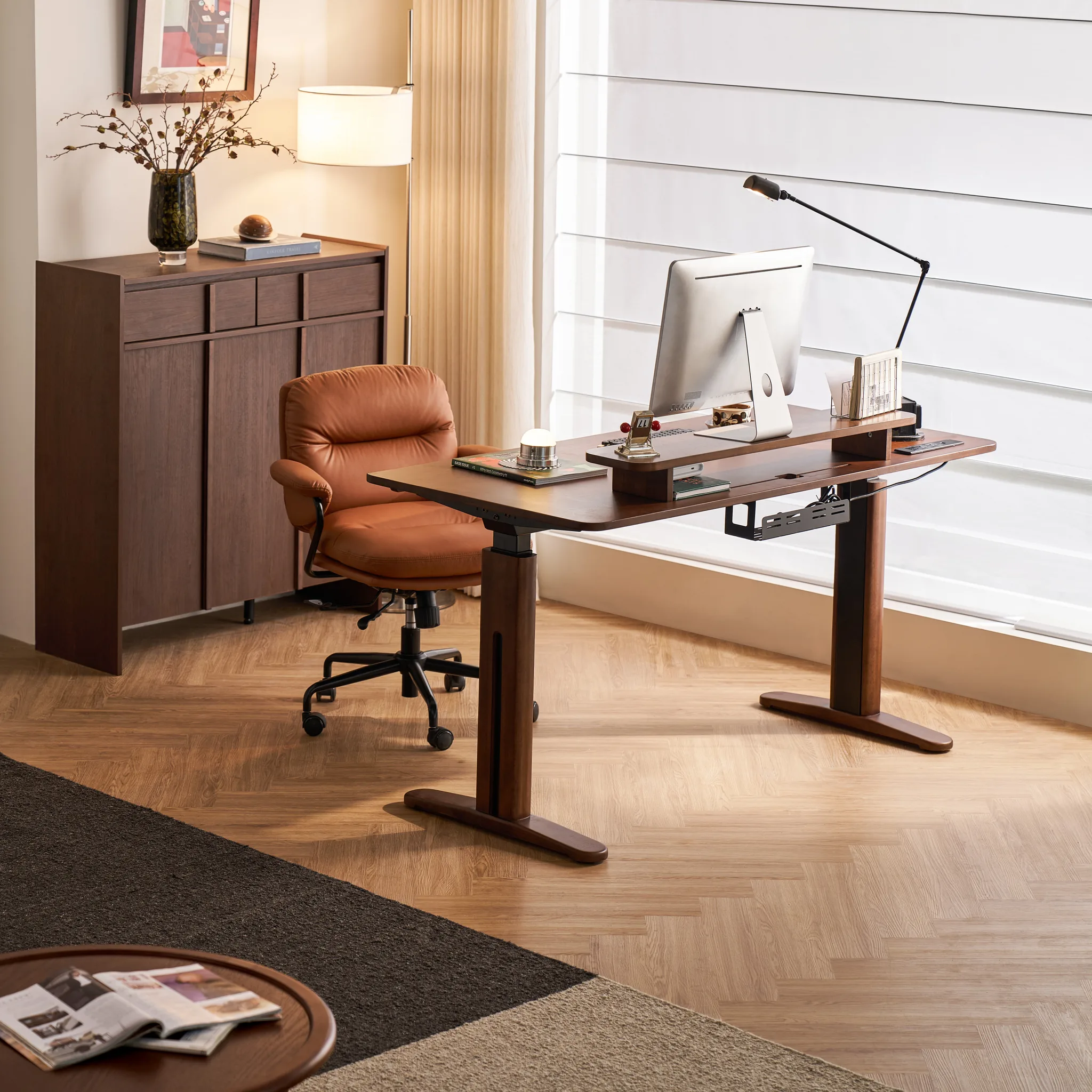
To work out your desk dimensions, lay out your equipment as you'd use it, including any books or notebooks you keep open. Allow room for plugs behind the screen and put the mouse where you can reach it easily. Work out the width you need for everything that sits side by side. Then check how deep the desk needs to be to keep the screen at a comfortable distance. Then check the desk height and the space underneath with your usual chair.
What size desk do you need for a laptop or monitor?
| Setup | What to measure | Easy to miss |
|---|---|---|
| Laptop and notebook | Put both down with your mouse or writing pad. | If you use a laptop riser, measure the layout with the separate keyboard in front of it. |
| One monitor | Measure the stand front to back, then place the keyboard and mouse where you can reach them easily. | A rear plug or a deep stand can bring the screen closer to you than planned. |
| Two monitors | Set the screens at the angles you use and measure their combined span, including the gap. | The stands may take up more depth than the screens suggest. |
| Study and paperwork | Open the book or folder you use beside the device. | A space that fits a closed book may be cramped when you have a textbook and notes open together. |
Take a photo of the layout and write down its width and depth. When a desk has a built-in riser or organiser, ask how much clear surface remains in front of and beside it. That's the space you can actually use for work.
Is a 600 mm deep desk enough?
It can be for a laptop or a compact monitor setup. As an example, put a 220 mm-deep monitor stand behind a 180 mm-deep keyboard. Allow 50 mm at the back for cables and 100 mm between the keyboard and the front edge. With no overlap, that's 550 mm, so there are 50 mm to spare on a 600 mm top.
Sit in your usual chair and check how far away the screen is. Safe Work Australia's workstation guide uses about an arm's length as a starting point for screen distance and recommends having your feet supported by the floor or a footrest. If your screen ends up too close, a deeper desk or a compatible monitor arm may give you more room to set it back.
How wide should a desk be for two monitors?
Two 520 mm screens with a 20 mm gap take up 1,060 mm in a straight line. If you want a 220 mm-wide notebook next to them and 50 mm between it and the screens, allow 1,330 mm of clear width for that particular layout. Measure again if you angle the screens or prefer to put the notebook in front.
Comcare's workstation guidance recommends placing the monitor you use most in front of you. Put that monitor in position first and check how much room you have left for the second stand. If you're planning on using a clamp arm, measure the thickness of the top and check for a frame rail or drawer under the rear edge. Check there's room behind the desk for the clamp as well.
Compare two desk footprints
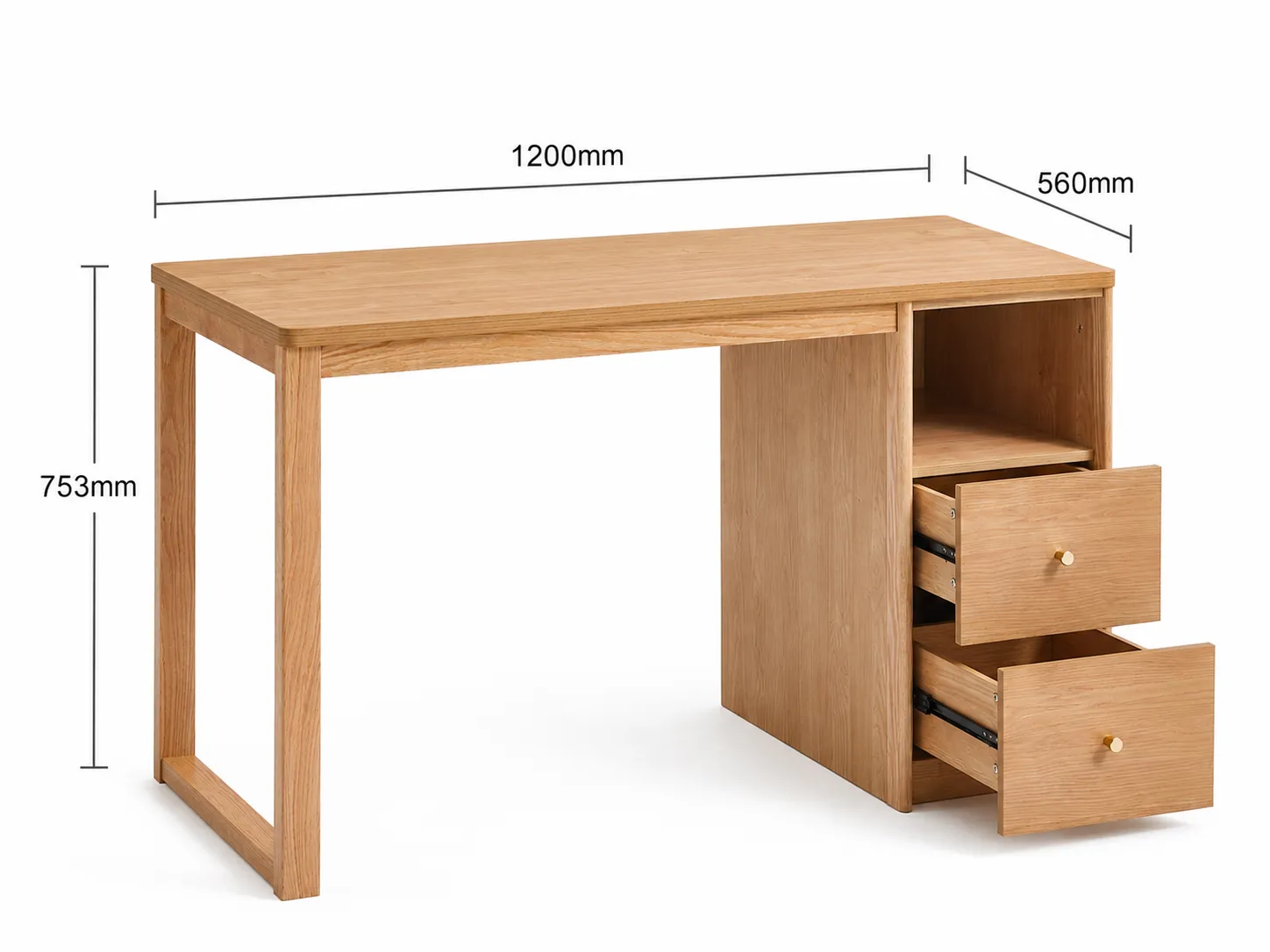
The Tolstoy Study Desk measures 1,200 mm wide × 560 mm deep. Use that as a starting point if you mainly work on a laptop or use a compact monitor. The XL Renoir Electric Height-adjustable Desk measures 2,000 mm wide × 850 mm deep. The extra depth leaves more room for monitor stands and cables. The wider top is handy if you keep paperwork beside your screens. Compare those listed dimensions with the arrangement you measured at home.
Check desk height, legroom and the chair
Sit in the chair you'll use. Bring your hands to where the keyboard would sit and check whether your shoulders stay relaxed. Measure from the floor to the top of your thighs while you're seated. Compare that with the height of the lowest part under the desk, such as a drawer or crossbar. Leave room to move your legs comfortably.
Pull the chair back as far as you normally do to get up. See whether a door will open and whether someone can get past. For a corner desk, mark out both sections on the floor. From where you'll sit, check whether the return needs to go on your left or right. If it has drawers, check that they'll open with the chair in its usual position.
Note where the power point is and allow space for plugs behind the desk. On an adjustable desk, check that the cables have enough slack at both ends of its travel and won't get caught. Take those room measurements and the photo of your equipment when you compare study desks.